
Advertisement
In this guide check out how to integrate Google Analytics via Cpanel on websites.
Google Analytics has been the #1 driving source for the webmaster and bloggers to view their blog/site visitors states and complete overview on the performance. Google Analytics stats are globally accepted by webmaster around the world as the perfect stats for your blog. It works by adding the JavaScript code on to your page and complete visitors on your site are reported and stored in the Google Analytics Server. Then you can completely view the details of the graphs and statistics and see the complete details in the site traffic.
This method is recommended as an alternative if you don’t want to change the permissions of file which is required when up add the Tracking Code in the header.php file.
Apart from the normal integration method as mentioned by Google Analytics team, users can integrate Google Analytics codes in the following method –
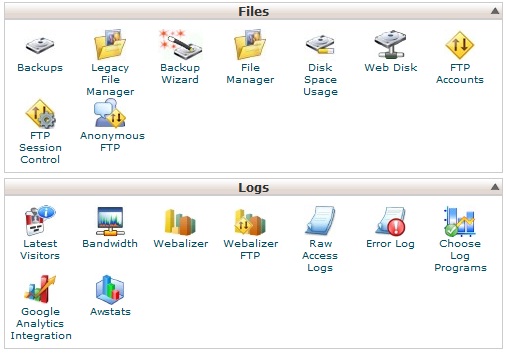
- Login to your CPanel and straight under Logs you will find option of Google Analytics Integration just near Awstats.
- You have everything setup and you just need to input the Google Analytics Account ID for that domain.
- If you haven’t created any Tracking code in the Google Analytics then we recommend you to create one such as without that it’s not possible.
- You can do it by going through your Google Analytics using the Google Account, then tap on Admin button on the right side near help and then tap on New Account.
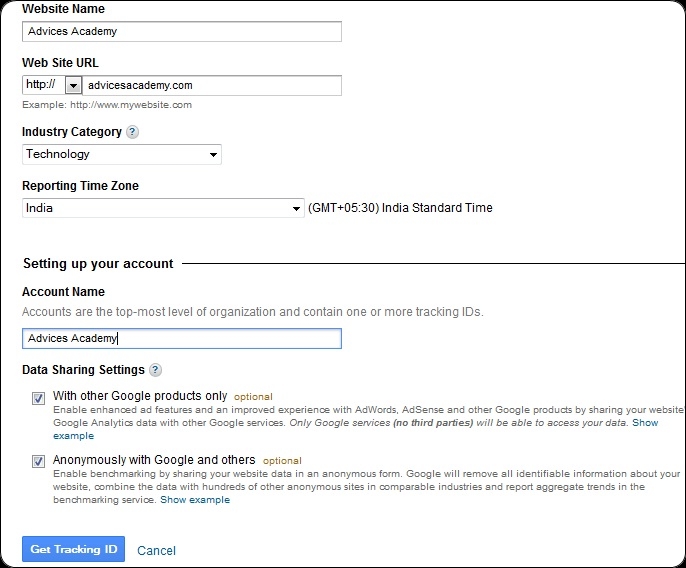
- Now enter the complete details like website name, URL, Account Name and all those details relating to your site. Finally hit Get Tracking ID.
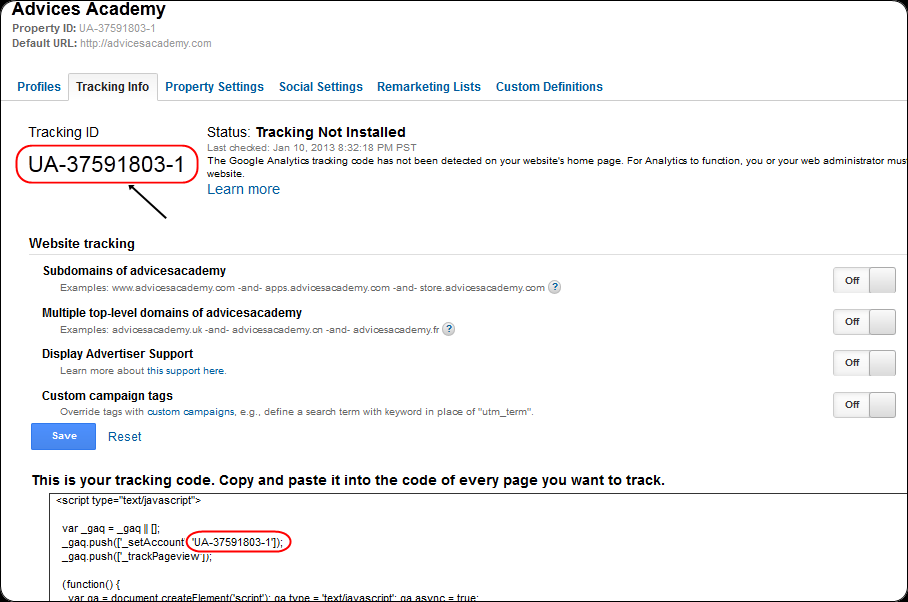
- Now you will see the Tracking ID clearly mentioned there, also in the code as well. Hit Save and the Status will change to Installed.
- Finally come back to CPanel where you left it and enter the Tracking Code over there.
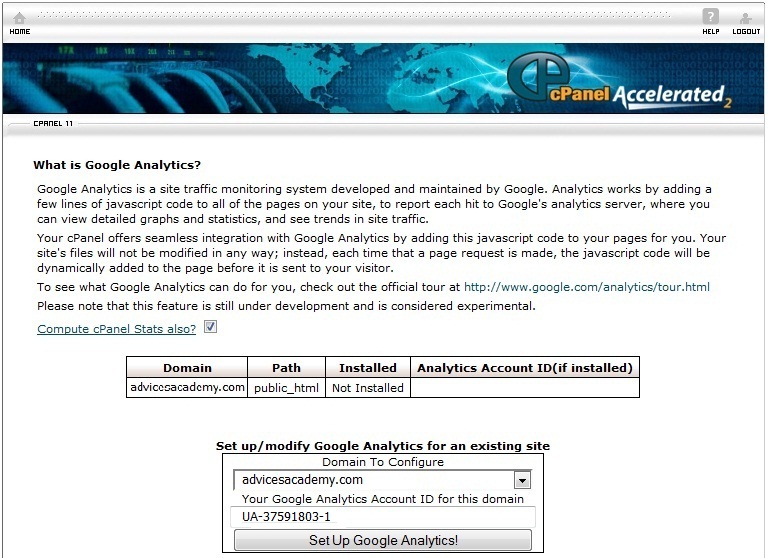
That complete the procedure on how you can install the Google Analytics tracking code on to your blog using the CPanel as another measure.
Advertisement
Do let us know if you are facing any issues during this setup.
Advertisement