
Advertisement
WhatsApp is one of the famous and widely used cross-platform application, now a property owned by Facebook, the social giant. The WhatsApp Plus Holo is a full customized version of WhatsApp messenger coming with holo theme. When you install it you will come to know the difference between the original WhatsApp from that of the WhatsApps Plus Holo themed one.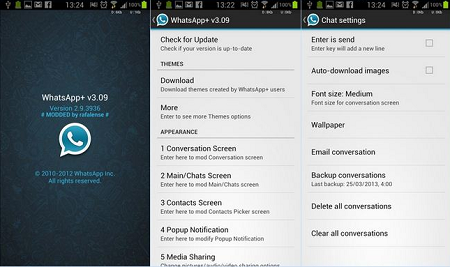
It’s said that colors are variety to life but WhatsApp continues to use the old-fashion same looks for years. If you are fed up with the looks, then try out the WhatsApp Plus Holo on your Android phone or tablet doesn’t matter whether it’s Samsung Galaxy or HTC Desire or Sony Xperia or Blu or Micromax Canvas or Karbonn Titanium phone.
Install WhatsApp Plus Holo APK
The process you should follow is mentioned below –
- Download WhatsApp+ Holo APK from the source given below on your system or directly to your device.
- If you have downloaded to PC, then transfer it to Phone by your known ways.
- You should enable USB Debugging on your phone. GO to Settings > Applications > Development> USB debugging.
- Now open the same file using any File manager and tap on it to begin the installation.
- Follow the simple process of its installation and you will see that App is finally installed.
Ref Guide: If you face any problem during installation such as Conflicting Signature error, then check the guide on how to fix Conflicting Signature Error and if you get Package File is Invalid error then check Fix guide.
WhatsApp Plus Holo APK Download Links
Download WhatsApp+ Holo
Advertisement
Advertisement