Fáðu
Android Lollipop (5.0, 5.0.1 og 5.0.2) is the latest version of Google mobile operating system for smartphones, tablets and phablets. This guide will show you on how to factory Reset Android Lollipop phones/tablets easily. If you are running Android Kitkat and wanted to format the phone, follow process to Reset Android Kitkat Phones.
Fáðu
Reset Android Lollipop Phones
Whenever you are selling your phone to someone or having trouble with the device, it’s better to factory reset it, so that you can get default Settings on your device. Once you do that your phone will be faster and just like the stock (same as that you have purchased first). Factory Reset on Android Lollipop devices will erase the following data on your internal storage –
- Your Google Account details
- System and App Data and Settings
- Downloaded Apps
- Music, Photos, Videos on internal storage
- Other user data and files
Data present on your external SD card will not be wipe out, however we recommend you to remove the SD card from your device when performing Android Lollipop phone factory reset.
Android 5.0 Factory Reset
Follow the guide given below to factory reset the Lollipop running device –
- From the App drawer on your device, tap on Stillingar.
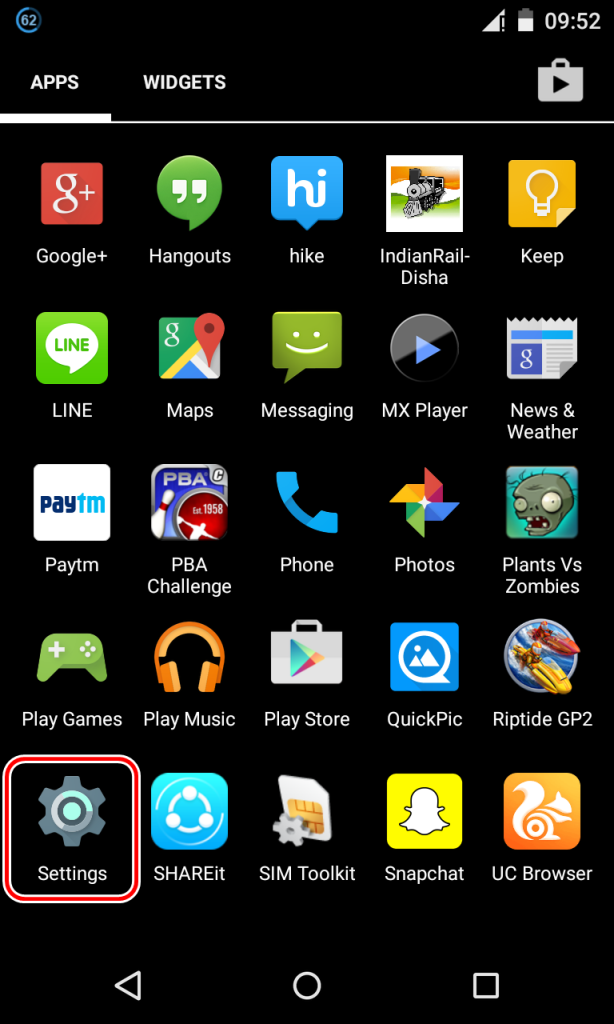
- Nú smella á Backup and Reset under Personal tab.
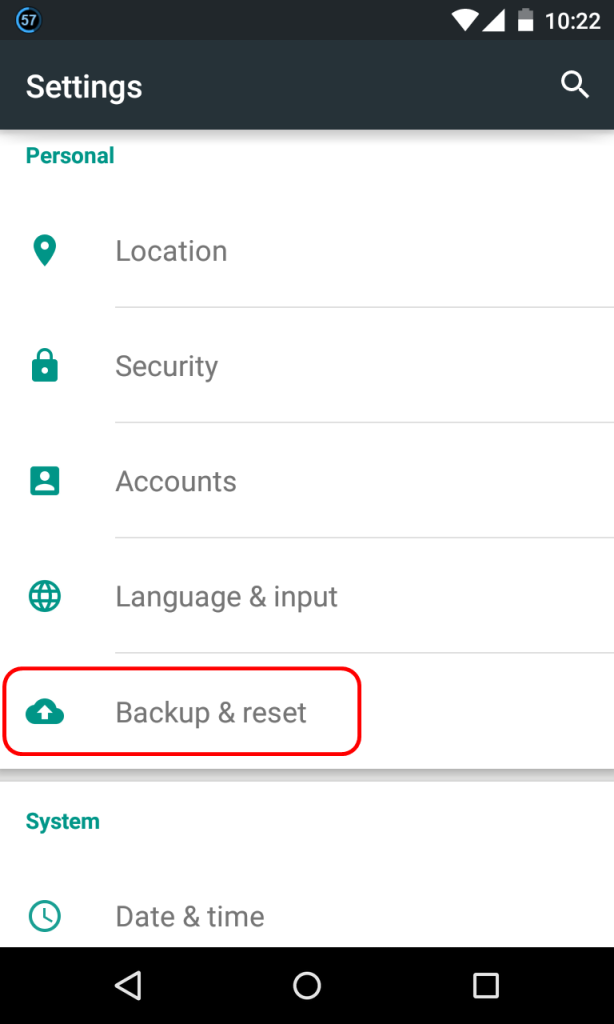
- Nú smella á Factory Data Reset.

- Now hit ‘Reset Phone’ option.
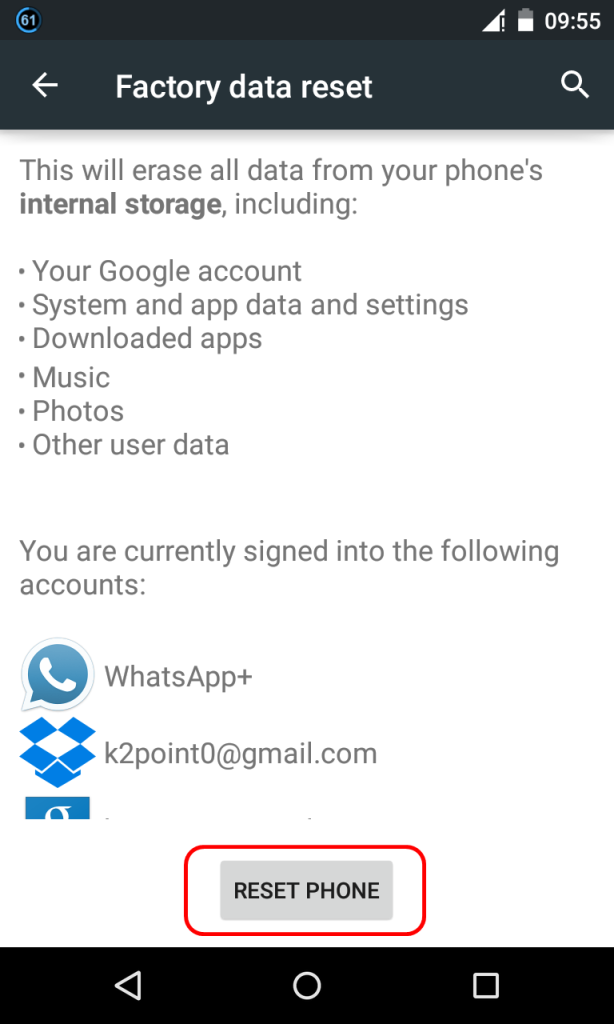
- Your phone will be restarted once the process of wiping the data is completed. The process will take anything between 5 að 10 mínútur.
This guide is valid for all Android 5.0 running devices and this includes Nexus 6, Nexus 5, Nexus 4, Nexus 9, Nexus 10, Nexus 7 (New and Old), GPE models which includes Moto G, Galaxy S4, HTC One M7, HTC One M8, LG G Pad 8.3, Sony Xperia Z Ultra and also all Samsung, HTC, Sony, Motorola, Micromax, Karbonn and other Android phones for any manufacturers.
Best Android Kitkat Phones Under $200
The video tutorial on how to wipe data on Android 5.0 Lollipop phone is coming out very soon.
Fáðu
Skildu eftir skilaboð