Reklame
WhatsApp, I needn’t explain you what it is and why people are crazy about it. Straightaway I will get on to some of the WhatsApp problem starting with Verifying phone number, profile picture missing but we did miss out guide on WhatsApp showing up “Your Phone Date is inaccurate! Adjust your clock and try again". If you are facing that problem while you have purchase the new phone or restored the factory settings, then follow the guide mentioned below.
WhatsApp How to: Fix Guide
Before getting on this page, you might have tried the following steps -
- Changed the time Settings to manual time
- Changed the time Settings to Automatic
- Restarted the Phone
Let me tell you that those steps will not rectify your problem with WhatsApp. That’s why we have come up with this problem.
Actual Issue: The above error on WhatsApp shows because your phone is running the outdated version of WhatsApp. Vel, some of you might be clear what to do now but still I have mentioned the steps to fix it below.
- On your phone open the Play Store app from the app drawer.
- In Search bar, type WhatsApp and hit Search.
- Now Choose Update.
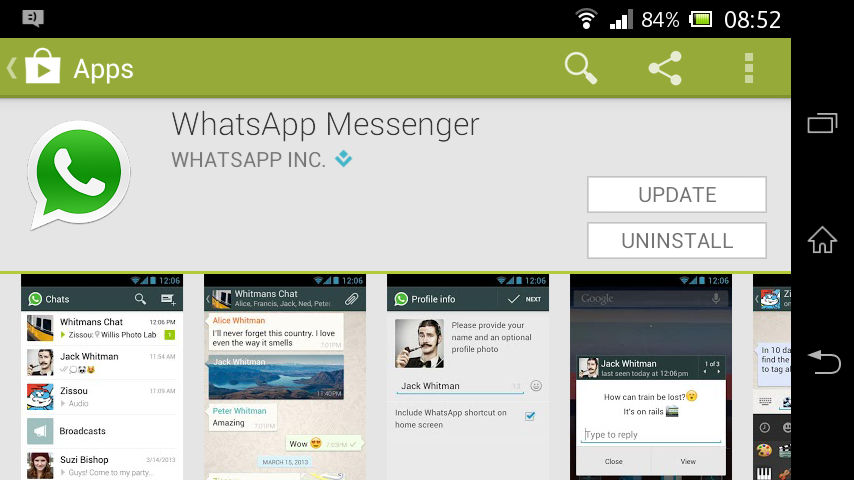
- Now try to install WhatsApp.
If that doesn’t solve your problem then considering uninstalling and re-installing WhatsApp or else pick out WhatsApp Apk.
Reklame
Legg inn en kommentar